
I created the "SEO in Next.js" skill, and the result was far better than I expected
Skills have taken the development world by storm overnight, especially after Vercel introduced skills.sh.
I think it’s a great idea. I’ve tried a few myself, and they work well.
That’s why I decided to run this experiment: to see what it’s like to create one, and at the same time, give my SEO in Next.js clients another way to make use of it.
In this experiment, you’ll find:
- Interesting details I discovered
- How I built the skill
- Testing the skill and its results
Interesting details I discovered
I had no idea that skills are part of an open standard called Agent Skills, which allows portability across different AI agents.
However, despite being a standard, when reviewing the documentation for Codex, Claude Code, and other alternatives, I noticed some minor differences in how each implements it.
For example, there are fields included in the standard that aren’t mentioned in certain documentation (I assume they don’t take them into account). There are also differences, such as the number of characters allowed in frontmatter properties.
I always find it curious when providers adopt only parts of a standard, but in this case, I don’t consider it a problem.
How I built the skill
I started by reading the specification in the Agent Skills documentation.
The most important thing I found is that every skill must have, at a minimum, a file called SKILL.md. This file must include a frontmatter with at least two required fields: name and description.
The name field corresponds to the skill’s name.
The description field, on the other hand, is the most important, as it must describe both what the skill does and when it should be used. Additionally, it should include specific keywords that help agents identify relevant tasks.
Here’s how the frontmatter looked:
---
name: seo-in-nextjs
description: Complete SEO setup for Next.js applications. Use when the user wants to implement or improve SEO in a Next.js app, including page metadata, sitemap.xml, llms.txt, robots.txt, and JSON-LD structured data generation, or SEO auditing. Trigger for queries about Next.js SEO optimization, search engine visibility, metadata management, or when the user mentions wanting better SEO for their Next.js application.
metadata:
  version: "1.0.0"
---
Then, inspired by the Remotion skill, I took all the Markdown content from the SEO in Next.js documentation and placed it in the rules directory.
I did make some modifications to these files: I removed certain fields from the frontmatter and stripped out components that weren’t compatible with pure Markdown.
In the SKILL.md file, I referenced each of these Markdown files, including the corresponding instructions, and even organized them following the same structure as the original documentation: guides, references, and tooling.
In the end, the SKILL.md file looked like this:
---
name: seo-in-nextjs
description: Complete SEO setup for Next.js applications. Use when the user wants to implement or improve SEO in a Next.js app, including page metadata, sitemap.xml, llms.txt, robots.txt, and JSON-LD structured data generation, or SEO auditing. Trigger for queries about Next.js SEO optimization, search engine visibility, metadata management, or when the user mentions wanting better SEO for their Next.js application.
metadata:
  version: "1.0.0"
---

## How to use

Read individual rule files for detailed explanations and code examples.

### Overview

- [rules/getting-started.md](rules/getting-started.md) - Getting Started

### Guides

- [rules/generate-metadata.md](rules/generate-metadata.md) - Generate the metadata
- [rules/generate-sitemap.md](rules/generate-sitemap.md) - Generate the sitemap.xml file
- [rules/generate-robots.md](rules/generate-robots.md) - Generate the robots.txt file
- [rules/generate-llms-txt.md](rules/generate-llms-txt.md) - Generate the llms.txt file
- [rules/add-json-ld-structured-data.md](rules/add-json-ld-structured-data.md) - Add JSON-LD structured data
- [rules/add-article-json-ld-structured-data.md](rules/add-article-json-ld-structured-data.md) - Add Article JSON-LD structured data
- [rules/add-breadcrumb-json-ld-structured-data.md](rules/add-breadcrumb-json-ld-structured-data.md) - Add Breadcrumb JSON-LD structured data
- [rules/add-faq-json-ld-structured-data.md](rules/add-faq-json-ld-structured-data.md) - Add FAQ JSON-LD structured data
- [rules/add-software-app-json-ld-structured-data.md](rules/add-software-app-json-ld-structured-data.md) - Add Software App JSON-LD structured data

### Tooling

- [rules/seo-check.md](rules/seo-check.md) - SEO Check Tool

### Reference

- [rules/define-seo-config.md](rules/define-seo-config.md) - defineSeoConfig
- [rules/gen-page-metadata.md](rules/gen-page-metadata.md) - genPageMetadata
- [rules/sitemap-xml.md](rules/sitemap-xml.md) - sitemapXml
- [rules/robots-txt.md](rules/robots-txt.md) - robotsTxt
- [rules/json-ld-script.md](rules/json-ld-script.md) - JsonLdScript
- [rules/json-ld-for-article.md](rules/json-ld-for-article.md) - JsonLdForArticle
- [rules/json-ld-for-breadcrumb.md](rules/json-ld-for-breadcrumb.md) - JsonLdForBreadcrumb
- [rules/json-ld-for-faq.md](rules/json-ld-for-faq.md) - JsonLdForFaq
- [rules/json-ld-for-software-app.md](rules/json-ld-for-software-app.md) - JsonLdForSoftwareApp
Testing the skill and its results
To test the skills, I always used Open Code and the free models it offers.
Also, to install the skill, I use Vercel’s skills.sh.
This CLI is very handy, as it simplifies the process considerably: you just need to run the command and follow the on-screen instructions.
I started with the basics: generating the metadata.
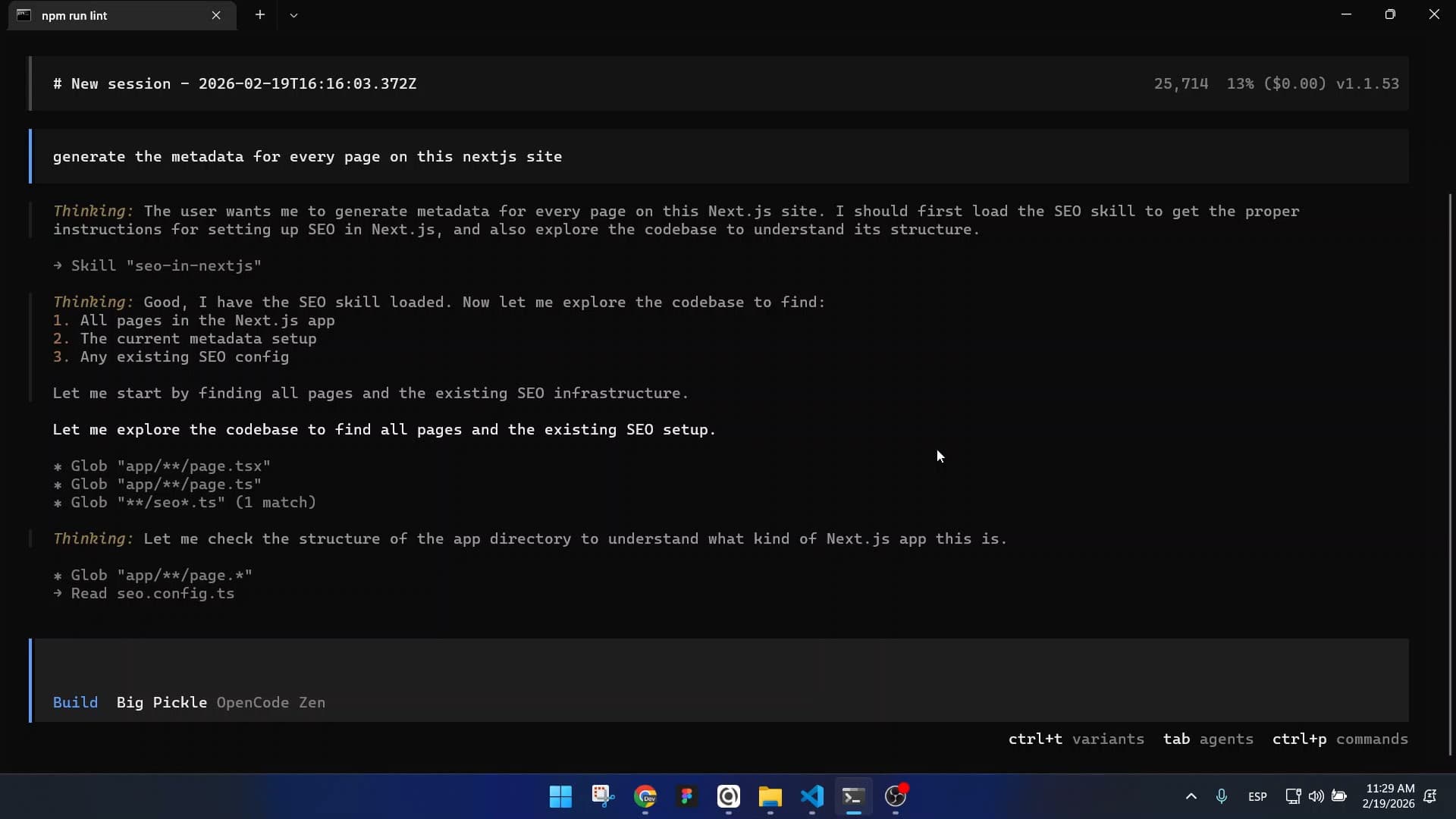
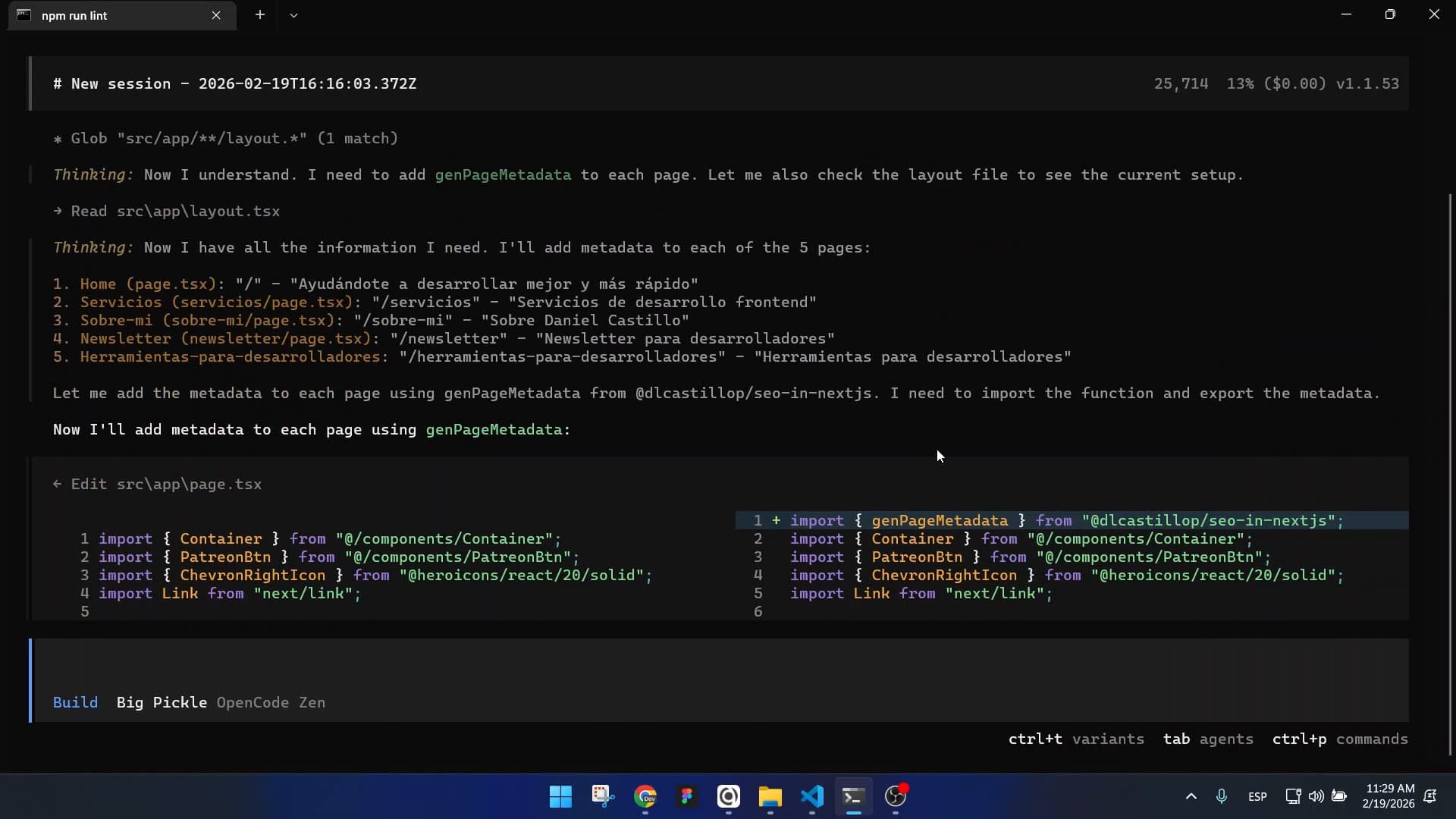
As you can see in the images, the agent loads the SEO in Next.js skill, explores all the pages, and uses the genPageMetadata function to generate the metadata.
Next, I asked it to generate the robots.txt file.
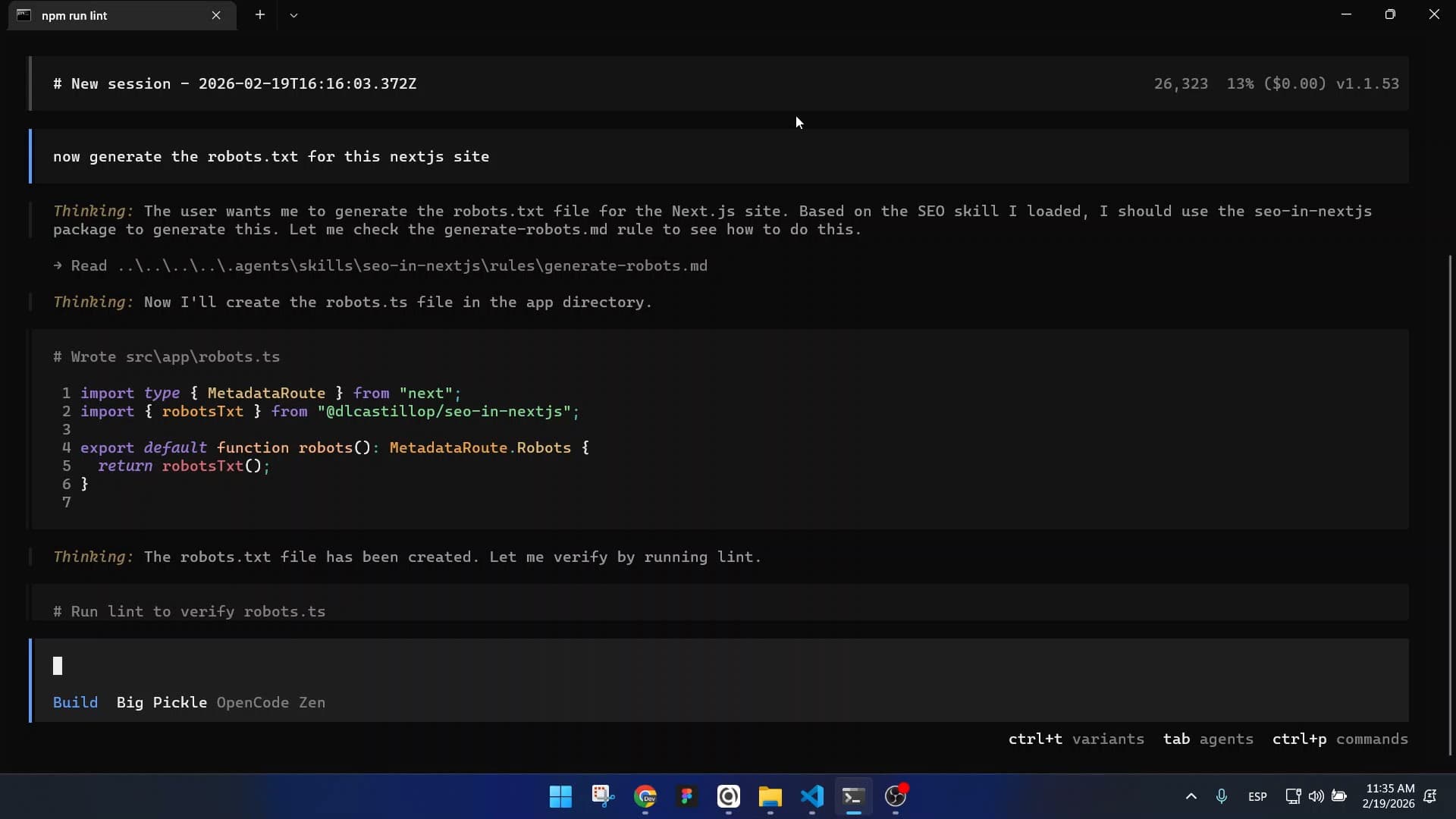
Once again, using the skill, it created the robots.ts file and used the robotsTxt utility provided by the library.
Later, I asked it to generate the FAQ-type JSON-LD for the services page.
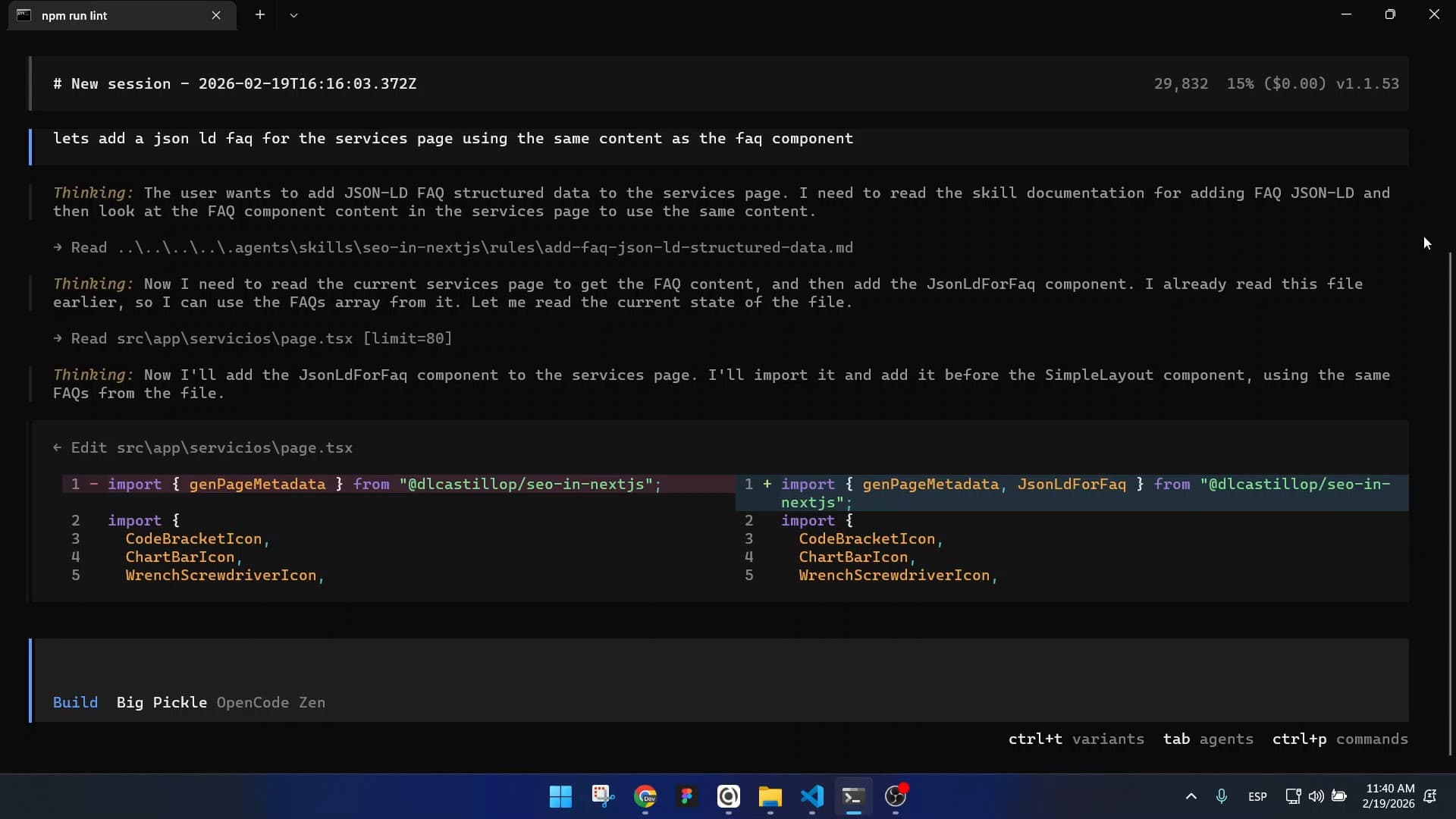
Again, it did exactly what was expected: using the library’s JsonLdForFaq component.
Finally, I asked it to run an SEO check on the application to make sure everything was optimized.
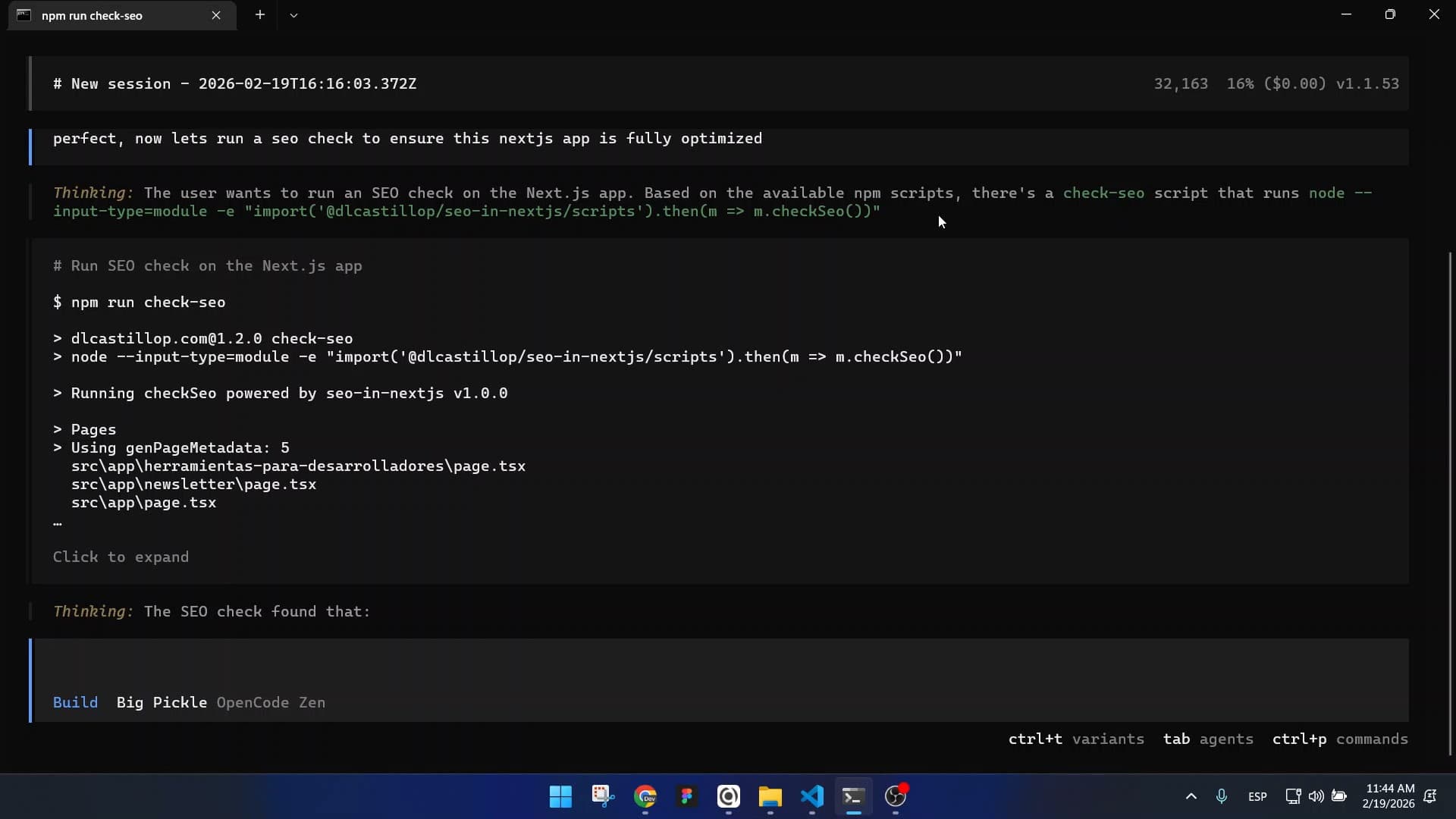
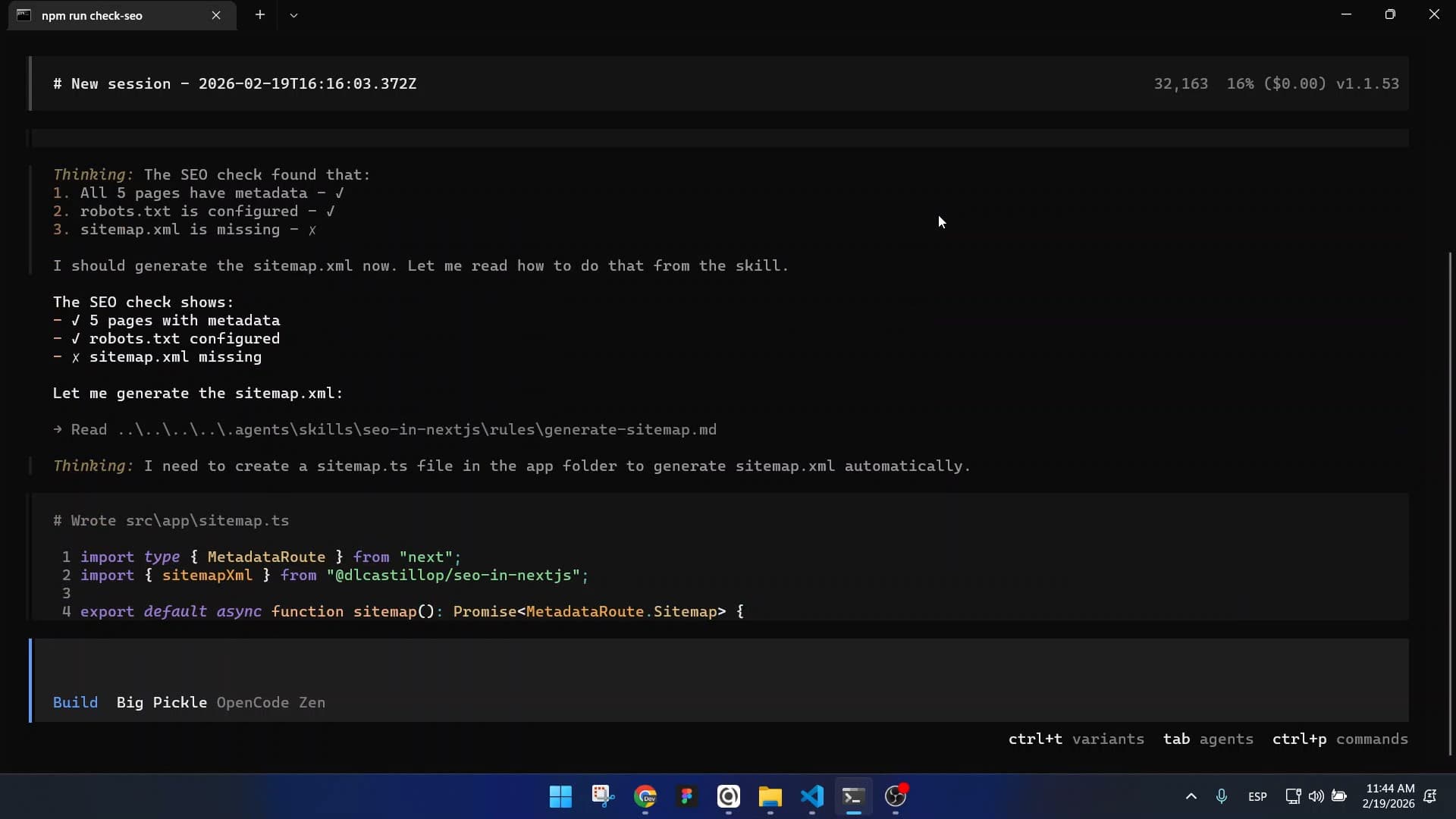
In this case, it not only ran the check-seo tooling but also detected that the sitemap hadn’t been generated and used the SEO in Next.js utility to create it.
Final reflections
I’m very happy with the outcome of this experiment, and honestly, I was surprised at how well it worked, much better than I expected. With this experience, I’ll soon start building Agent Skills for the rest of my projects.
As for the method I used, it definitely works, although I can’t say it’s the most optimal. During this process, I didn’t find any established best practices or concrete guides, so in the future, I’ll need to explore this area more deeply to identify more efficient and robust approaches.